
Japan Mobile Payment Apps Complete Guide

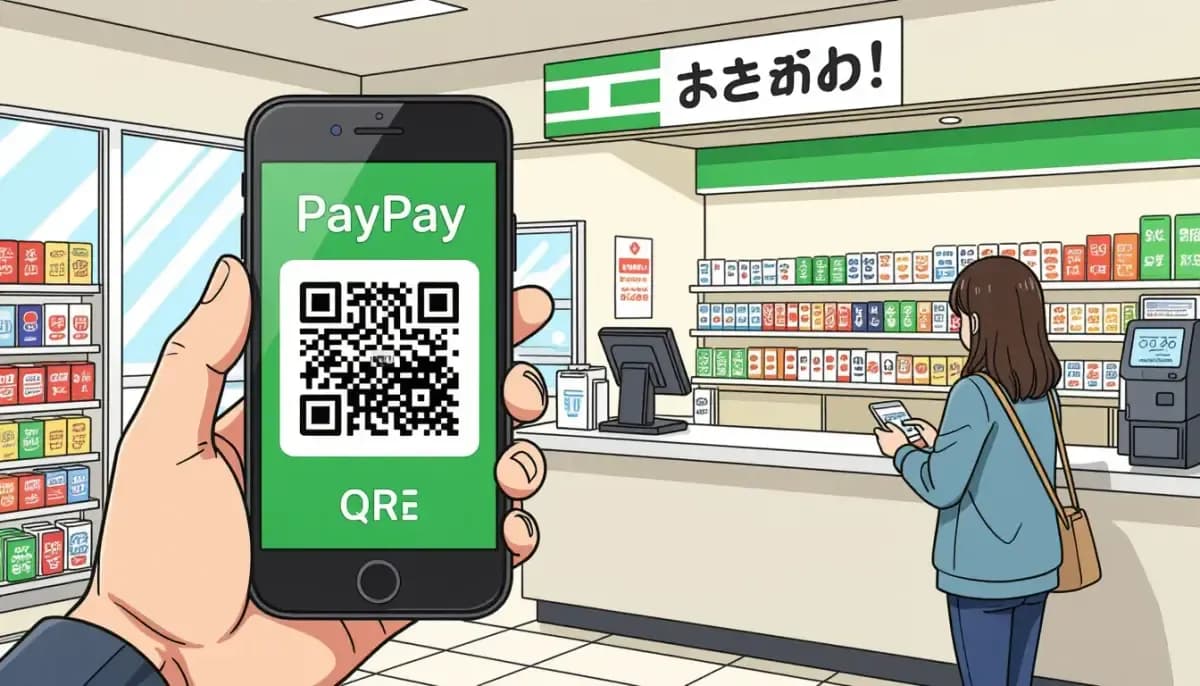
Complete guide to mobile payment apps in Japan for foreigners and expats. Learn how to set up PayPay, Suica, Rakuten Pay, and navigate Japan's cashless payment system with ease.
Japan Mobile Payment Apps Complete Guide for Foreigners
Japan's transition to a cashless society has accelerated dramatically in recent years. With PayPay alone recording 7.46 billion transactions in 2024 and Japan's overall cashless payment ratio reaching 42.8%, mobile payment apps have become an essential part of daily life. For foreigners living in or visiting Japan, understanding which apps to use and how to set them up can save you time, money, and frustration at the register.
This comprehensive guide covers everything you need to know about mobile payment apps in Japan — from the dominant PayPay platform to transit cards like Suica, plus tips on what requirements you'll need as a foreigner.
!Foreigner using PayPay QR code payment at a Japanese convenience store

The State of Cashless Payments in Japan
Japan has long been known as a cash-heavy society, but the landscape is changing rapidly. The government set a target of raising the cashless payment ratio to 40% by 2025 — and Japan achieved that goal a full year ahead of schedule, with the ratio hitting 42.8% in 2024.
Here's a snapshot of the current cashless payment landscape:
| Metric | Figure |
|---|---|
| Japan cashless payment ratio (2024) | 42.8% |
| PayPay registered users (July 2025) | 70+ million |
| PayPay acceptance locations | 3.7+ million |
| PayPay's share of code payments | ~67% |
| PayPay transactions in 2024 | 7.46 billion |
| Code-based payment transactions in 2024 | 11.5 billion |
| Credit card transactions in 2024 | 20.3 billion |
| Rakuten Bank accounts | 17 million |
Despite this growth, cash remains important. Many local restaurants, small shops, and even some hotels are still cash-only, so always carry some yen as backup.
For a deeper understanding of managing money in Japan, check out our guide on banking and finance in Japan for foreigners.
PayPay: Japan's Dominant Mobile Payment App
PayPay is by far the most popular and widely accepted mobile payment app in Japan. With 70 million registered users as of July 2025 — representing more than one in every two people in Japan — it's the default choice for most residents and many visitors.
What Makes PayPay Stand Out
- Universal acceptance: Over 3.7 million locations nationwide, including convenience stores, supermarkets, restaurants, pharmacies, and even small local shops
- Cashback campaigns: Regular promotions offering 5-20% cashback at specific merchants
- English interface: The app switches to English if your phone is set to English
- P2P transfers: Send money to other PayPay users instantly
- Bill splitting: Built-in feature for splitting costs with friends
How to Set Up PayPay as a Foreigner
- Download the app from the App Store (iOS) or Google Play (Android)
- Register with your Japanese phone number — you'll receive an SMS verification code
- Add a funding source: Link a Japanese bank account, register a credit card, or add cash at 7-Eleven or Lawson ATMs
- Verify your identity (for higher limits): Use your Residence Card and My Number (Individual Number) for KYC verification
- Start paying: Show the barcode/QR in the app, or scan the merchant's QR code
Requirements: A Japanese mobile phone number (SIM) is mandatory. Tourists without a Japanese number face significant limitations, though some workarounds exist through tourist SIM cards.
For more information on getting set up with banking, see Banking and Finance in Japan for Foreigners.
Mobile Suica and IC Cards: The Transit Payment System
IC cards like Suica and PASMO are the backbone of transit payments in Japan and are increasingly used for everyday purchases. These NFC-based (contactless) payment systems work at train gates, buses, taxis, vending machines, and at many retail stores.
Mobile Suica for Residents
For foreigners living in Japan with a compatible Android or iPhone, adding Suica to your phone (via Apple Wallet or Google Pay) is highly convenient:
- No physical card needed: Your phone acts as your IC card
- Auto top-up: Link a bank account or credit card for automatic recharging
- Works everywhere: Transit + convenience stores + vending machines + select restaurants
- Commuter passes: Load monthly commuter passes directly in the app
Welcome Suica Mobile for Tourists
In March 2025, a new "Welcome Suica Mobile" was launched for international visitors on iPhone. This allows tourists to:
- Set up a digital Suica before arriving in Japan
- Preload yen value
- Use it immediately upon arrival for transit and shopping
This is a major improvement for tourists who previously had to purchase physical cards at station machines.
Suica vs. PayPay: When to Use Which
| Situation | Best Choice |
|---|---|
| Train/bus/taxi | Suica (faster tap-to-pay) |
| Convenience stores | Either works |
| Small local restaurants | PayPay (wider QR acceptance) |
| Vending machines | Suica |
| Online shopping rewards | Rakuten Pay |
| Tourism (no Japanese SIM) | Suica / PASMO |
For transit tips, see our Transportation in Japan Guide for Foreigners.
Rakuten Pay and Other QR Code Payment Apps
While PayPay dominates, several other QR code payment apps are worth knowing about, especially if you're already using those companies' other services.
Rakuten Pay (楽天ペイ)
Rakuten Pay is ideal if you're part of the Rakuten ecosystem:
- Points accumulation: Earn Rakuten Points on every purchase
- Card bonus: Points multiply when using a Rakuten credit card
- Integrated: Works with Rakuten Bank, Rakuten Card, and Rakuten Mobile
- Wide acceptance: Available at major chain stores and convenience stores nationwide
d払い (d Barai)
d Barai is operated by NTT Docomo and popular among Docomo mobile customers:
- Earn d Points on purchases
- Recently added offline payment capability for use even without internet
- Accepted at many major retailers
au PAY
For au (KDDI) mobile subscribers, au PAY offers:
- Ponta Points accumulation
- Good cashback campaigns at specific retailers
- Strong presence at certain supermarket and convenience store chains
LINE Pay
LINE Pay is integrated with LINE, Japan's most popular messaging app:
- Widely used for P2P transfers between LINE friends
- Accepted at many stores
- Available in English
For more on daily shopping and saving money, check out our Complete Guide to Shopping in Japan.
Key Requirements for Foreigners
Not all mobile payment apps are equally accessible to foreigners. Here's what you typically need:
| Requirement | PayPay | Mobile Suica | Rakuten Pay | LINE Pay |
|---|---|---|---|---|
| Japanese phone number | ✅ Required | ✅ Required | ✅ Required | ✅ Required |
| Japanese bank account | Optional | Optional | Optional | Optional |
| Residence Card | For KYC | Not required | For KYC | Not required |
| My Number | For higher limits | Not required | Not required | Not required |
| English app available | ✅ Yes | ✅ Yes | Partial | ✅ Yes |
*Apps can be funded via credit card or convenience store cash deposits without a Japanese bank account, but limits may apply.
The #1 barrier: A Japanese mobile phone number. If you're on a tourist SIM or using a foreign number, most apps won't let you register. A local SIM card is essentially required for the full mobile payment experience.
For help navigating life in Japan as a foreigner, resources like Living in Nihon and For Work in Japan offer practical guides for expats settling in.
Setting Up Your Mobile Payment Stack
For most foreigners living in Japan, the recommended approach is to layer multiple apps based on your needs:
Starter Setup (New Residents)
- PayPay — primary QR payment for daily purchases
- Mobile Suica — transit and quick NFC tap payments
- Either SBI Shinsei Bank or Rakuten Bank for English-friendly banking to fund your apps
Advanced Setup (Long-term Residents)
- Add Rakuten Pay if you shop on Rakuten or have a Rakuten credit card
- Add d Barai if you're a Docomo subscriber for points stacking
- Consider au PAY if you're with au mobile for additional rewards
For more resources on getting settled financially in Japan, visit Ittenshoku which covers career and lifestyle topics for those relocating to Japan.
Practical Tips for Using Mobile Payments in Japan
At Convenience Stores (コンビニ)
Japan's convenience stores (7-Eleven, Lawson, FamilyMart) accept virtually every mobile payment method. Simply tell the cashier your payment method or look for the app's logo at the checkout. Self-checkout machines also accept most apps.
At Restaurants
Acceptance varies widely. Many chain restaurants accept PayPay and IC cards, while smaller independent restaurants may be cash-only. Look for payment method stickers on the door before ordering.
At Supermarkets
Major supermarket chains (AEON, Ito-Yokado, etc.) accept IC cards and often PayPay. Some have their own loyalty apps that can stack with other payments.
Shopping and Discount Tips
- Watch for PayPay campaigns: PayPay regularly runs 5-20% cashback promotions at specific merchants or during special periods
- Point stacking: Use a Rakuten Card with Rakuten Pay, or a d Card with d Barai to double-dip on rewards
- Convenience store ATMs: If you need cash, 7-Eleven and Lawson ATMs accept most international cards and can be used to top up PayPay balance
For more tips on saving money in Japan, see our Cost of Living in Japan Guide and Shopping in Japan Guide.
Troubleshooting Common Issues
"I can't register because I don't have a Japanese phone number" Consider getting a Japanese SIM card. MVNO options like IIJmio, OCN Mobile, or Rakuten Mobile often have affordable plans. Once you have a Japanese number, registration is straightforward.
"My foreign credit card was rejected" Some apps only accept Japanese-issued cards. Try funding your account with cash at a convenience store ATM instead. Most apps allow cash top-ups at 7-Eleven or Lawson ATMs.
"The app interface is in Japanese" Change your phone's system language to English. PayPay, LINE Pay, and Suica all support English interfaces. If the app still shows Japanese, look for language settings within the app itself.
"My payment was declined even though I have balance" Check if you've hit the transaction limit. Most apps have daily and monthly payment limits that can be raised by completing KYC (identity verification) with your Residence Card and My Number.
For more on daily life in Japan, see our Complete Guide to Daily Life in Japan for Foreigners.
The Future of Cashless Payments in Japan
Japan's cashless revolution shows no signs of slowing. The government aims to raise the cashless payment ratio to 80% in the coming years, and major initiatives are underway:
- QR code standardization: Japan has adopted a unified QR code standard (JPQR) to reduce merchant confusion
- Tourist-friendly expansion: Welcome Suica Mobile and similar initiatives are making it easier for visitors
- Integration with government services: My Number Card is being linked to various payment and financial services
- Cross-border expansion: PayPay and other apps are expanding to accept foreign payment methods
For comprehensive information about finances and banking in Japan, our Banking and Finance in Japan for Foreigners guide covers bank accounts, credit cards, and money transfer services in detail.
Also worth reading from Japan Handbook: Mobile Payment and Banking Apps in Japan for a detailed breakdown of the top 5 apps.
For practical tips from long-term expats, Tokyo Cheapo's guide to cashless payments is an excellent resource.
Conclusion
Mobile payments in Japan have evolved from a convenience to a near-necessity. PayPay dominates with 70 million users and acceptance at 3.7 million locations, while Suica provides seamless transit and tap-to-pay functionality. For foreigners, the key requirements are a Japanese mobile phone number and, ideally, a Japanese bank account or credit card.
Start with the PayPay + Mobile Suica combination for maximum coverage, add Rakuten Pay if you're in the Rakuten ecosystem, and always keep some cash on hand for the remaining cash-only establishments. With this setup, you'll be well-equipped to navigate Japan's rapidly evolving cashless payment landscape.
For more guides on living in Japan as a foreigner, explore our Complete Guide to Daily Life in Japan and Banking and Finance Guide.

Originally from Vietnam, living in Japan for 16+ years. Graduated from Nagoya University, with 11 years of professional experience at Japanese and international companies. Sharing information about living in Japan for foreigners.
View Profile →Related Articles

Japan My Number Portal and Digital ID Guide
Complete guide to Japan's My Number system for foreign residents. Learn how to get your My Number Card, use the My Number Portal (マイナポータル), and navigate Japan's digital ID services as an expat.
Read more →
Tech Shopping in Japan Akihabara and Electronics Districts
Complete guide to tech shopping in Japan's Akihabara and electronics districts. Learn tax-free shopping tips, store recommendations, voltage compatibility, and smart buying strategies for foreigners.
Read more →
Using a VPN in Japan When and Why You Need One
Complete guide to using a VPN in Japan for foreigners and expats. Learn about legality, streaming access, public Wi-Fi security, banking apps, and the best VPN services for Japan in 2025.
Read more →
Japan Online Government Services and E-Gov Guide
Complete guide to Japan's online government services for foreigners: e-Gov portal, My Number Card, Mynaportal, Visit Japan Web, e-Tax filing, and the 2026 Residence Card integration.
Read more →
Cashless Payment Options in Japan Complete Guide
Discover all cashless payment options in Japan for foreigners—IC cards, PayPay, credit cards, and mobile wallets. Practical tips for daily life and travel in Japan.
Read more →
Japan Internet Providers Speed and Price Comparison
Compare Japan's top internet providers for foreigners. Detailed speed, price, and English support breakdown for NTT Docomo, SoftBank, au, NURO Hikari, GTN Hikari, and Sakura Fiber Internet.
Read more →