
Best Translation Apps for Living in Japan

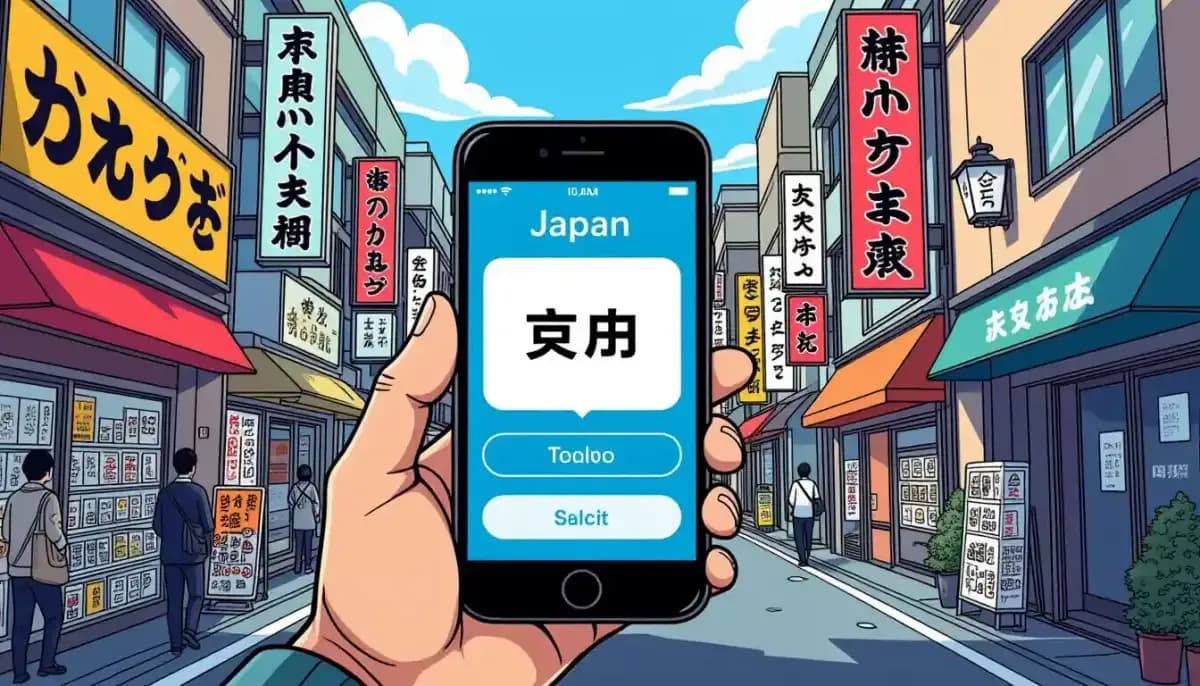
Discover the best translation apps for foreigners living in Japan. From Google Translate's camera feature to DeepL's natural Japanese and VoiceTra for emergencies — find the right tools for daily life, work, and emergencies in Japan.
Best Translation Apps for Living in Japan: Your Essential Guide
Moving to Japan is an exciting adventure, but navigating a country where the written language uses three different scripts — hiragana, katakana, and kanji — can feel overwhelming. Whether you're deciphering a rental contract, ordering food at a restaurant, or handling a medical emergency, having the right translation app on your phone can make all the difference. This guide covers the best translation apps for foreigners living in Japan, from daily essentials to specialized tools for work and emergencies.
The global demand for translation tools has never been higher, with the translation services market valued at $26.7 billion in 2024 and growing at 4.1% annually. In Japan specifically, international visitors hit 3,617,700 in December 2025 alone — and each of them likely relied on at least one translation app to get through their stay. For long-term residents and expats, these tools become even more critical as part of everyday life.
!Translation app on smartphone in Japan with Japanese street signs in background

Google Translate: The All-Rounder for Daily Life
Google Translate is the go-to app for most foreigners in Japan, and for good reason. With support for over 100 languages and a feature set that covers virtually every translation scenario you'll encounter, it's the Swiss Army knife of language tools.
Key features for Japan:
- Camera/Photo Translation: Point your phone at any text — restaurant menus, apartment notices, government documents — and see instant English overlays. This feature alone is worth installing the app.
- Offline Mode: Download Japanese language packs to use without internet. Essential when you're in rural areas or want to save mobile data.
- Conversation Mode: Speak in English, the app outputs Japanese audio, then listens for the response and translates it back. Invaluable for medical appointments, real estate viewings, or conversations with neighbors.
- Handwriting Input: Draw kanji characters you don't know how to read and get instant translations.
Best for: Day-to-day navigation, reading signs and menus, quick conversations with locals who don't speak English.
For more resources on navigating daily life in Japan, check out our Complete Guide to Daily Life in Japan for Foreigners.
DeepL: The Gold Standard for Formal Communication
When accuracy matters — a formal email to your boss, a legal document, an important notice from your ward office — DeepL is the translation app professionals trust. The translations it produces sound natural, nuanced, and culturally appropriate in a way that many competitors struggle to match.
DeepL supports over 25 languages and is consistently rated as producing the most natural-sounding Japanese-to-English and English-to-Japanese translations. For expats working at Japanese companies, it's particularly valuable for translating business emails, where tone and formality (keigo) are critically important.
Key features:
- Handles formal Japanese register (keigo) better than most apps
- Available on iOS, Android, and as a browser extension
- Free tier covers most daily needs; Pro version offers unlimited text and document translation
- Integrates with Microsoft Office and Google Docs via browser extension
Best for: Work emails, official documents, legal notices, apartment contracts, and any situation where a robotic translation could cause misunderstandings.
For more on navigating Japanese workplace culture, see our Complete Guide to Working in Japan as a Foreigner.
!Person using DeepL translation app on laptop for Japanese business email

VoiceTra: Japan's Official Emergency Translation App
VoiceTra is developed by Japan's National Institute of Information and Communications Technology (NICT) — essentially the government body responsible for communications research. This gives it a unique advantage: it's specifically designed for the scenarios foreigners in Japan actually face.
Unlike general translation apps, VoiceTra includes pre-programmed phrases tailored for Japanese daily life contexts:
- Medical situations: describing symptoms to a doctor or pharmacist
- Police interactions: reporting a crime or being stopped
- Emergency situations: natural disasters, accidents
- Administrative tasks: procedures at city hall, post office, banks
The app covers over 30 languages and features one-touch language switching, making it easy to flip between languages mid-conversation. It's available on both iOS and Android and is completely free.
Best for: Medical emergencies, police or administrative interactions, natural disasters, and situations where accuracy and clarity are life-or-death important.
Related reading: The Complete Guide to Safety and Emergency Preparedness in Japan
Microsoft Translator: Best for Group Conversations
Microsoft Translator offers one feature that no other app matches: multi-participant group conversations. Using the app's "conversation" feature, multiple people with different phones can join a single session. Everyone speaks in their own language, and all participants see real-time translations on their own screens.
This is incredibly useful for:
- Team meetings where some colleagues speak only Japanese
- Apartment viewings with a Japanese landlord
- Parent-teacher conferences at Japanese schools
- Dinner parties with mixed Japanese/English-speaking guests
Microsoft Translator also handles text translation in over 70 languages, includes photo translation, and supports offline use.
Best for: Group settings, workplace meetings, school events, any multi-person conversation that needs real-time translation for multiple languages simultaneously.
Papago: Natural-Sounding Conversational Japanese
Developed by Naver (the South Korean tech giant behind LINE), Papago consistently earns praise for producing translations that sound like something an actual Japanese person would say — rather than the robotic, word-for-word output of some other apps.
Papago supports over 10 languages with text, image, voice, conversation, handwriting, and website translation. It also offers offline capability. Many long-term Japan residents use Papago specifically for crafting messages to Japanese friends or colleagues, where natural-sounding language matters more than technical accuracy.
Key features:
- Voice and conversation translation with natural phrasing
- Image/camera translation
- Offline mode available
- Website translation
Best for: Casual conversations with Japanese friends, messaging, crafting socially appropriate texts or social media posts.
Comparison: Which Translation App Should You Use?
| App | Best Use Case | Languages | Offline | Free |
|---|---|---|---|---|
| Google Translate | Daily use, camera translation | 100+ | Yes (50+) | Yes |
| DeepL | Formal documents, work emails | 25+ | No (browser) | Freemium |
| VoiceTra | Emergency & official situations | 30+ | No | Yes |
| Microsoft Translator | Group conversations | 70+ | Yes | Yes |
| Papago | Casual, natural-sounding chat | 10+ | Yes | Yes |
| iTranslate | General use, voice conversations | 100+ | Yes (paid) | Freemium |
Tips for Using Translation Apps Effectively in Japan
Even the best translation app has its limits. Here's how to get the most out of these tools as a foreigner living in Japan:
1. Download offline packs before you need them. Mobile coverage in Japan is excellent in cities but can be spotty in rural areas. Both Google Translate and Microsoft Translator offer offline Japanese language packs.
2. Use multiple apps for different situations. The most experienced Japan expats don't rely on a single app. A typical setup: Google Translate for camera/photo needs, DeepL for work and formal communication, VoiceTra for emergencies.
3. Learn to check app outputs. Translation apps make mistakes, especially with nuanced Japanese. For important communications — a work email, a legal document — always double-check with a native speaker or a second app.
4. Use camera translation proactively. Don't wait until you're confused. Make a habit of scanning your mail, notices from your building manager, and bills immediately. Many issues get worse when ignored because of the language barrier.
5. Save key phrases offline. Both Google Translate and Papago let you star and save translations for offline access. Save important medical phrases, your address in Japanese, and emergency contact information.
For additional resources on learning Japanese to supplement your apps, visit Living in Nihon's comprehensive Japan living guide and explore our own Complete Guide to Learning Japanese as a Foreigner.
Specialized Translation Apps Worth Knowing
Beyond the main five apps, a few specialized tools are worth having in your phone's arsenal:
Yomiwa — Best for reading kanji and Japanese text you encounter in the wild. Point the camera at text and it gives you pronunciation (furigana) alongside translation. Particularly useful for menus with complex kanji.
Waygo — Similar to Yomiwa but focuses on restaurant menus. For a comprehensive comparison of Japanese translation apps, SakuraSpeak's app guide offers detailed reviews of tools for Japan travel and residence. It works offline and recognizes even handwritten kanji on specials boards — a common feature of traditional Japanese restaurants.
Jisho — Not a translation app per se, but the best Japanese-English dictionary app available. When you need to understand the nuance of a specific word or kanji, Jisho gives detailed explanations including example sentences.
iTranslate Translator — A solid alternative to Google Translate supporting 100+ languages with voice conversations both online and offline. Useful as a backup when other apps are slow or unavailable.
For guidance on using Japanese language learning tools to complement your translation apps, For Work in Japan offers an excellent guide on effective Japanese study methods — covering everything from apps to textbooks to speaking practice.
Making the Most of Translation Technology in Japan
Translation apps are remarkable tools, but they work best when paired with some basic Japanese knowledge. Even learning hiragana and katakana — Japan's two phonetic alphabets — takes only a few hours and unlocks a huge amount of text you'll encounter daily.
The Japan Living Guide's resource on voice translator apps notes that these apps serve dual purposes: translation assistance and language study tools. Many expats find that using translation apps while actively studying Japanese accelerates their learning — you're not just getting the translation, you're seeing and hearing Japanese in context.
For those serious about learning the language alongside using these apps, check out our guide on learning Japanese as a foreigner for structured study resources.
Finally, for a broader look at navigating Japanese technology and digital life as an expat, Ittenshoku's comprehensive career and lifestyle resource provides additional context on how technology intersects with daily and professional life in Japan.
Conclusion
No single translation app does everything perfectly, and the best approach for foreigners living in Japan is to build a small toolkit of complementary apps:
- Google Translate for camera translation and everyday quick lookups
- DeepL for formal and work-related translation where accuracy and natural phrasing matter
- VoiceTra for emergency situations where the stakes are high
- Microsoft Translator for group conversations and workplace meetings
- Papago for casual, natural-sounding messages to Japanese contacts
The language barrier in Japan is real, but it's manageable. With the right apps on your phone, a willingness to point and gesture when needed, and the patience to work through misunderstandings, you'll find that most situations — even complex ones — are navigable. And over time, as you pick up more Japanese, you'll rely on these apps less and less.
For more guidance on settling into life in Japan, explore our Complete Guide to Moving to Japan and our resource on daily life in Japan for foreigners.

Originally from Vietnam, living in Japan for 16+ years. Graduated from Nagoya University, with 11 years of professional experience at Japanese and international companies. Sharing information about living in Japan for foreigners.
View Profile →Related Articles

Japan My Number Portal and Digital ID Guide
Complete guide to Japan's My Number system for foreign residents. Learn how to get your My Number Card, use the My Number Portal (マイナポータル), and navigate Japan's digital ID services as an expat.
Read more →
Tech Shopping in Japan Akihabara and Electronics Districts
Complete guide to tech shopping in Japan's Akihabara and electronics districts. Learn tax-free shopping tips, store recommendations, voltage compatibility, and smart buying strategies for foreigners.
Read more →
Using a VPN in Japan When and Why You Need One
Complete guide to using a VPN in Japan for foreigners and expats. Learn about legality, streaming access, public Wi-Fi security, banking apps, and the best VPN services for Japan in 2025.
Read more →
Japan Online Government Services and E-Gov Guide
Complete guide to Japan's online government services for foreigners: e-Gov portal, My Number Card, Mynaportal, Visit Japan Web, e-Tax filing, and the 2026 Residence Card integration.
Read more →
Cashless Payment Options in Japan Complete Guide
Discover all cashless payment options in Japan for foreigners—IC cards, PayPay, credit cards, and mobile wallets. Practical tips for daily life and travel in Japan.
Read more →
Japan Internet Providers Speed and Price Comparison
Compare Japan's top internet providers for foreigners. Detailed speed, price, and English support breakdown for NTT Docomo, SoftBank, au, NURO Hikari, GTN Hikari, and Sakura Fiber Internet.
Read more →